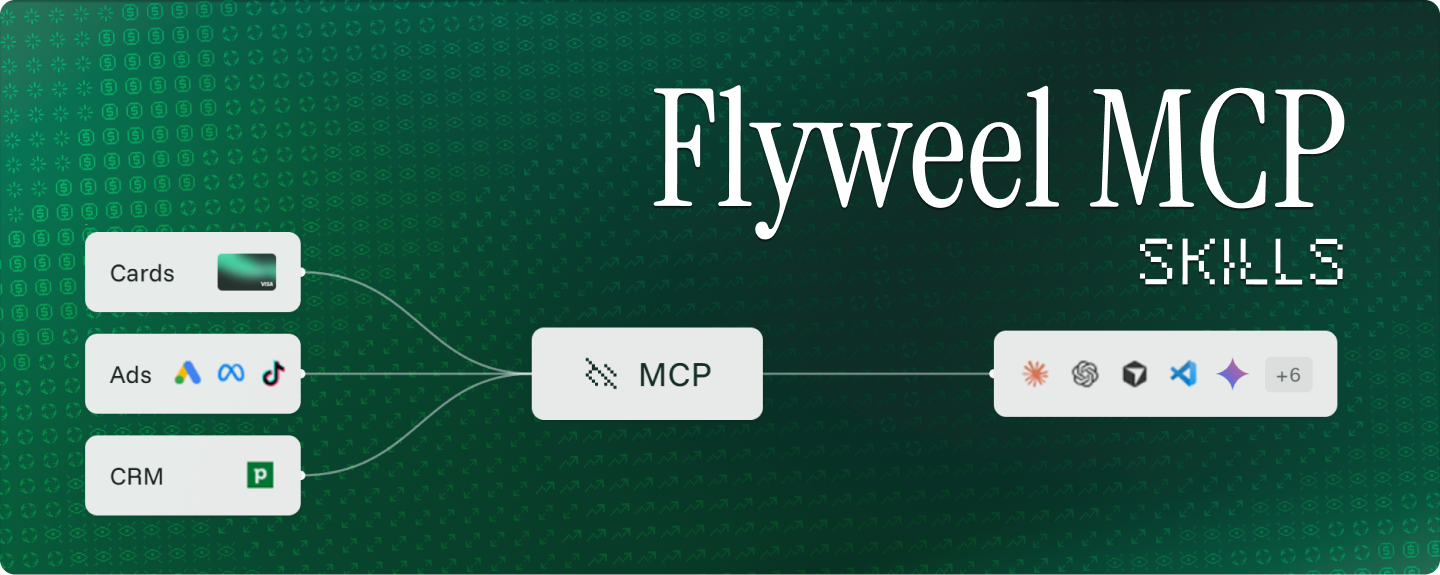
Your agent can already read your ads, CRM and cards1 through Flyweel. The new Flyweel agent skills help it work out what needs topping up, what your spend returned and where to spend next.
The public Flyweel skills repository is live and open source under Apache 2.0. It works with Claude Code, Cursor, Codex, Gemini CLI and OpenCode.
You pay for the ads now. The lead comes later. The job gets signed after that. Revenue takes longer still.
The skills help your agent work through that gap, show its numbers and tell you what is missing.
What are Flyweel agent skills?Link to this section
Flyweel agent skills are instructions your AI agent follows to answer specific questions about your ad spend. They are open source, so you can see exactly what your agent checks before you install them.
The Flyweel MCP server provides the connection to your data. MCP stands for Model Context Protocol, the open standard agents use to reach outside tools. The skills provide the method: what to check, which figures to use and when the evidence is too thin for a firm answer.
They build on the headless-finance release. The connection already brings ads, CRM data and cards into your agent. The skills turn that access into repeatable workflows.
Which skills are included?Link to this section
Six skills ship in the repository.
flyweel: Start with your questionLink to this section
Not sure which skill you need? Start here. It checks what is connected, routes your question and handles setup requests.
Ask: “How is my ad spend doing?”
Where the data is available, the rundown covers what your spend brought back, whether your cards can carry the coming charges and what to do next.
flyweel-card-top-up: Plan what to pay and whenLink to this section
Checks spending pace, billing patterns and charges still to come. It gives you a top-up amount and a date, with normal and heavier-spend scenarios.
Ask: “How much do I top up to keep the ads running?”
It can also help explain a decline or check whether the cards can carry a planned increase in spend. You make the payment in Flyweel when you are ready.
flyweel-real-cash-payback: Check what your spend producedLink to this section
Starts with your card charges, rather than the spend reported by the ad platforms. It checks what that spend produced at the deepest level your data supports.
Ask: “For what my cards paid last month, what did I get back?”
With a CRM connected, that can include signed deals and revenue. Without one, it works from platform results, tells you so and flags the revenue it cannot see.
flyweel-where-to-spend-next: Add, hold, trim or cutLink to this section
Checks what happened after a change in spend. Did the extra budget buy more results? What did each extra result cost?
Ask: “Did the last budget increase pay off?”
You get a recommendation by platform, with an amount. If the results are too thin, too recent or not visible, the skill calls that out. You decide whether to make the change.
flyweel-mcp-deep-ad-analysis: Review your adsLink to this section
Reviews Google, Meta and TikTok using the figures those platforms report. It covers performance changes, platform and campaign comparisons, and where your ads send traffic.
Ask: “How are my ads performing?”
This is the skill for an ad review. It keeps platform-reported performance separate from the card-based analysis. More on this skill.
ad-performance-analyser-flyweel: Bring your own dataLink to this section
Reviews a CSV export, pasted numbers or a screenshot from Google, Meta, LinkedIn or TikTok.
Ask: “Here is my campaign export. Why did cost per lead go up?”
This skill works from the data you supply, with or without a Flyweel account or MCP connection. More on this skill.
What is the difference between card spend and reported spend?Link to this section
Ad platforms report what ran. Your cards record the charges.
Tax, fees and billing dates can put a gap between those figures. The top-up, payback and spend-allocation skills use card data. The ad-review skill uses platform-reported spend and results.
That distinction matters when you ask what your ads cost or whether a budget increase paid off.
The same care applies to the return. With connected CRM data, the answer goes as far as revenue. Without it, the answer goes as far as the results the platforms count.
What guardrails are built in?Link to this section
The skills recommend. You decide. Every action that moves money or changes your account stays in your hands.
- You make every payment. Top-up advice gives you an amount and a date. You make the payment in Flyweel when you are ready.
- Card changes wait for your yes. Supported changes, such as a new card budget, show a preview first and run only after you confirm.
- Your campaigns stay in your hands. The skills read campaign data. Creating, pausing and editing campaigns stays in your ad platforms.
- Credit limits stay with Flyweel. Your agent works within your limit and never changes it.
- Gaps are flagged, not filled. Missing revenue is called out, never counted as zero, and forecasts stay separate from recorded outcomes.
Where do they work?Link to this section
The repository includes installation and connection instructions for Claude Code, Cursor, Codex, Gemini CLI and OpenCode.
For connected-data analysis, you need a Flyweel account, the Flyweel MCP connection and a connected ad platform. The card skills also need Flyweel Cards set up and paying for your ads.
A CRM is optional. The export-analysis skill works without an account.
Get startedLink to this section
Install the skills:
npx skills add flyweel-production/flyweel-skillsThen follow the connection instructions for your agent, sign in to Flyweel and connect an ad platform if you have not already.
Restart your agent so it picks up the skills.
Then ask:
How is my ad spend doing?
Already using the Flyweel MCP server? Install the skills and restart your agent. You can keep using your existing connection.